Demo
Try the testnet demo
A working copy of Coverline on Robinhood Chain Testnet. Buy an option, see it in your portfolio and claim it after expiry, with nothing at stake.
Testnet, test assets only, no value The dollar is mUSDG, a mock dollar. The prices are test prices set by the deployer, not market prices.
What you need
A browser wallet
Any wallet that can add a custom network. The app adds Robinhood Chain Testnet for you.
A little test ETH
Test ETH pays for gas. Get it from the faucet. The mUSDG you trade with comes from a button in the app.
Six steps, click by click
Screenshots 1 and 2 are from the testnet build. Screenshots 3 to 5 are from the app with recorded local test data, where the dollar has another name and the stock is NVDA; the demo shows mUSDG and TSLA. The layout is the same.
Connect and add the network
Open the app, connect your wallet and choose "Add Robinhood Chain Testnet". The banner on every page says: Testnet, test assets only, no value.
- Click
- Press Connect in the top right, pick your browser wallet, then press "Add Robinhood Chain Testnet" if the app asks for the network. Approve in your wallet.
- You see
- Your address replaces Connect. A banner on every page reads "Testnet, test assets only, no value" with a link to the faucet.
- You pay or receive
- You pay nothing and receive nothing. Adding a network and connecting move no funds.
- Worst case
- None: nothing is signed that moves money. If your wallet stays on another network the app says so and signing stays off.
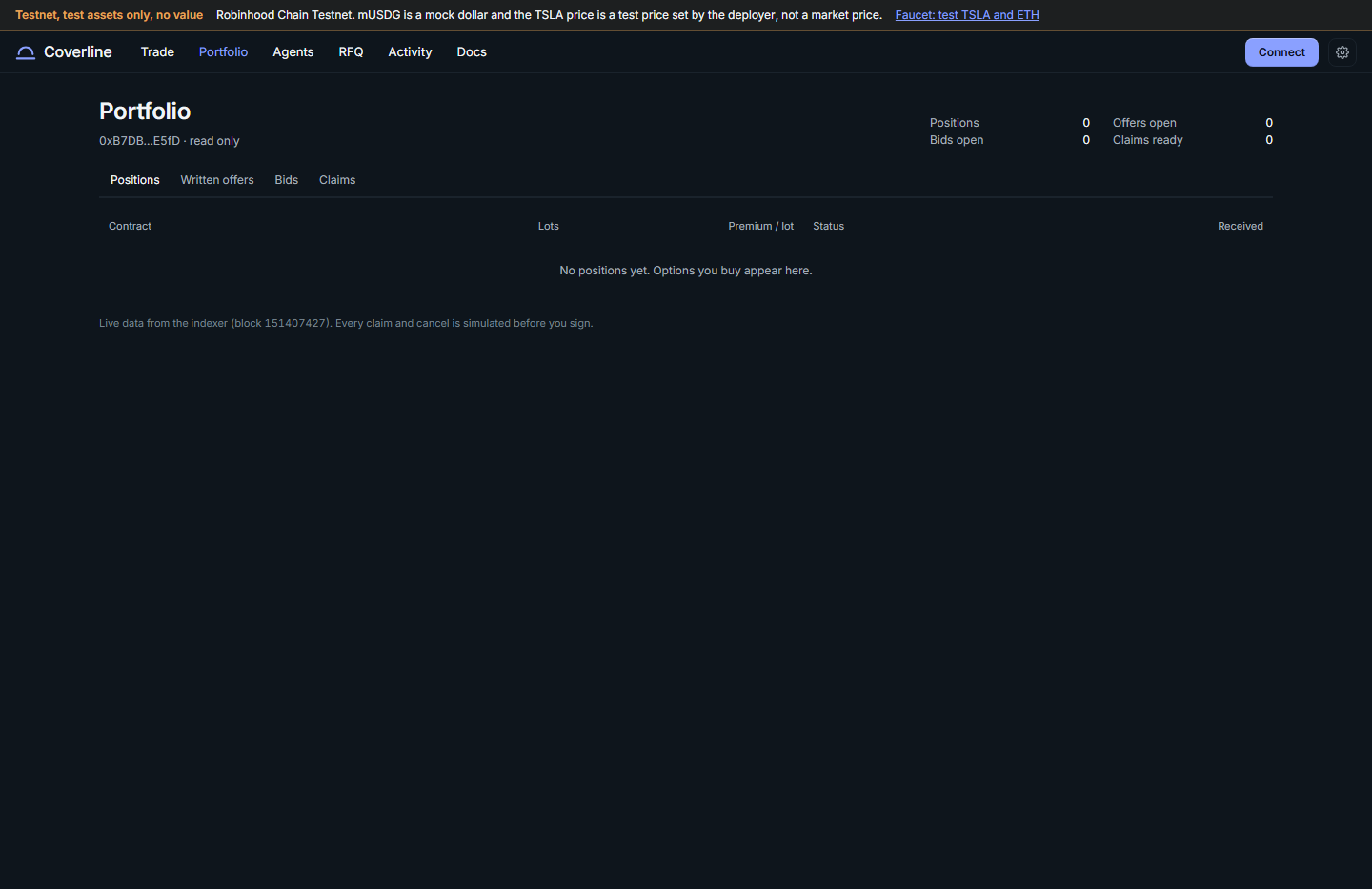
The testnet banner on top, Connect in the corner. Get test money
Use the test-money button in the app to get mUSDG, the mock dollar you pay premiums with. If the balance does not show, add mUSDG to your wallet from the app. Test ETH for gas comes from the faucet.
- Click
- Open the guide, press the test-money button, sign. If the balance does not show, press "Add mUSDG to wallet". Test ETH for gas: the faucet link in the banner.
- You see
- The guide ticks the step and a message confirms the test mUSDG you received. The balance shows in your wallet, and in the order ticket as "Available" once you pick a series.
- You pay or receive
- You receive test mUSDG now. You pay only test ETH for gas. None of it has value.
- Worst case
- Nothing is at stake. Without test ETH the transaction cannot be sent: get some from the faucet first.
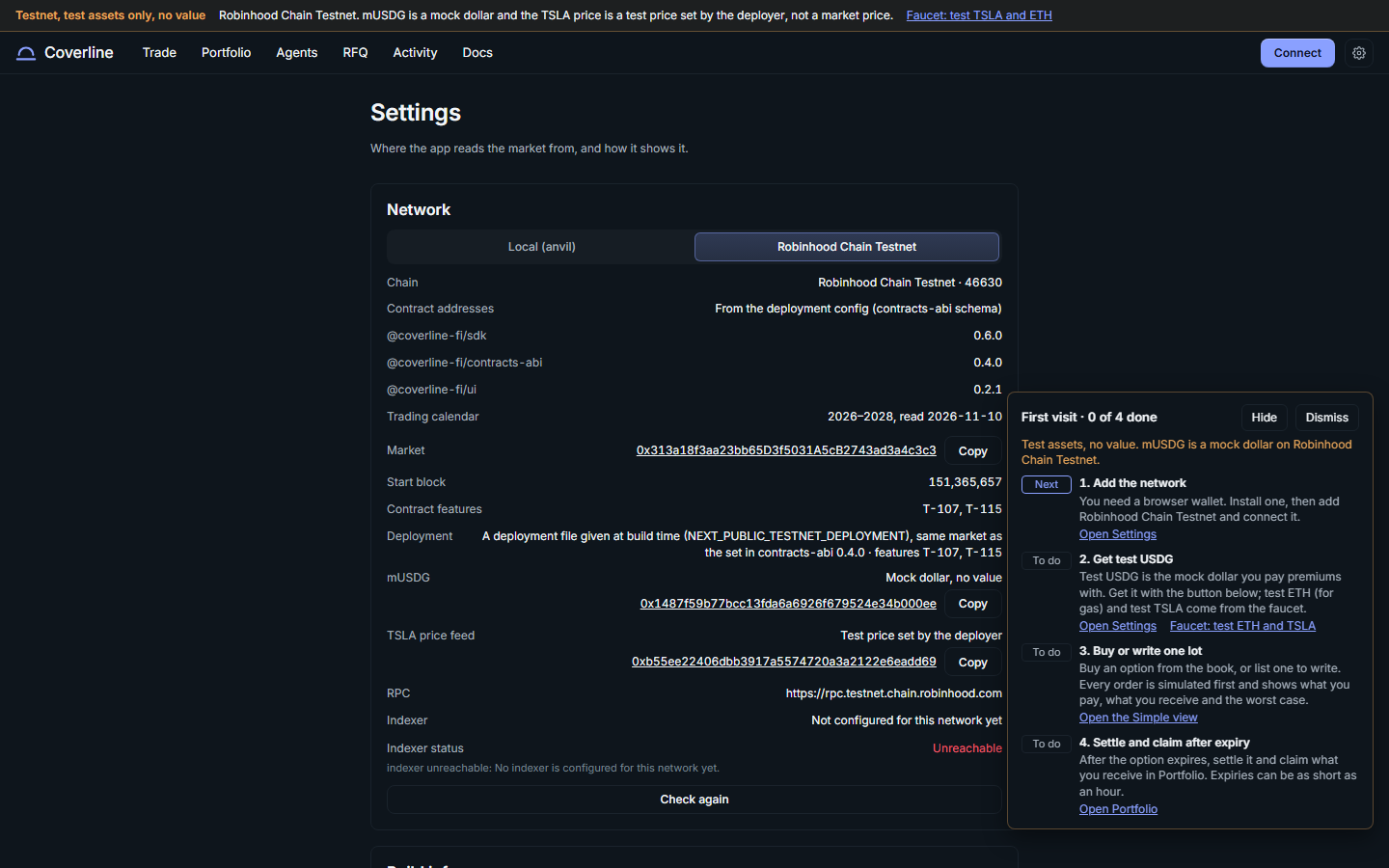
The first-visit guide tracks the steps. Approve mUSDG for the order
When your wallet has not approved enough mUSDG yet (always before your first buy), the ticket asks you to approve it: it lets the market take the premium when you buy. Review stays off until the approval is signed.
- Click
- Pick a series and keep "Buy now" and one lot. If the ticket shows "Approve" with an mUSDG amount, press it and sign in your wallet. Then Review turns on.
- You see
- The Approve button changes to "Approving…" while the wallet confirms, then disappears; Review can be pressed.
- You pay or receive
- No funds move when you approve. You pay test ETH for gas now. The approval is for exactly the amount this order needs, never more.
- Worst case
- The market contract can take up to the approved amount of mUSDG from your wallet, no more. If you do not buy, the approval simply stays unused.
Buy one option
Pick a series and press Buy now for one lot. The preview shows what you pay, what you receive, when, and the worst case, which for a buyer is the premium. Then sign in your wallet.
- Click
- With the approval signed, press Review on the same ticket ("Buy now", one lot). Read the preview, then sign in your wallet.
- You see
- A preview with what you pay, what you receive and when, and the worst case, before anything is signed. After signing, the position appears in Portfolio.
- You pay or receive
- You pay the premium in mUSDG now, plus test ETH for gas. You receive one lot of the option now. A call that ends in the money pays you at settlement, after expiry.
- Worst case
- The most you can lose is the premium you paid. If the option ends out of the money it pays nothing.
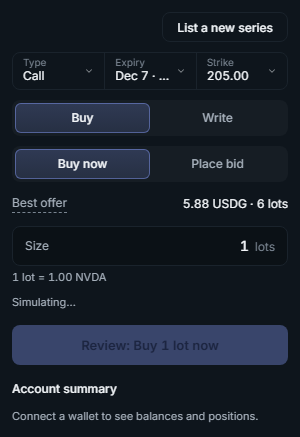
The ticket: Buy now, one lot, Review. Check it
Portfolio shows your position and Activity shows the fill. You can download both as a CSV.
- Click
- Open Portfolio, then Activity. Press Download CSV on either page if you want the rows.
- You see
- Portfolio lists your position with its lots, premium and status. Activity lists the fill.
- You pay or receive
- Nothing is paid or received: these pages only read.
- Worst case
- The data can be a few seconds old. If a banner says a connection is down, the lists are from the time it names; the blockchain itself is the source of truth.
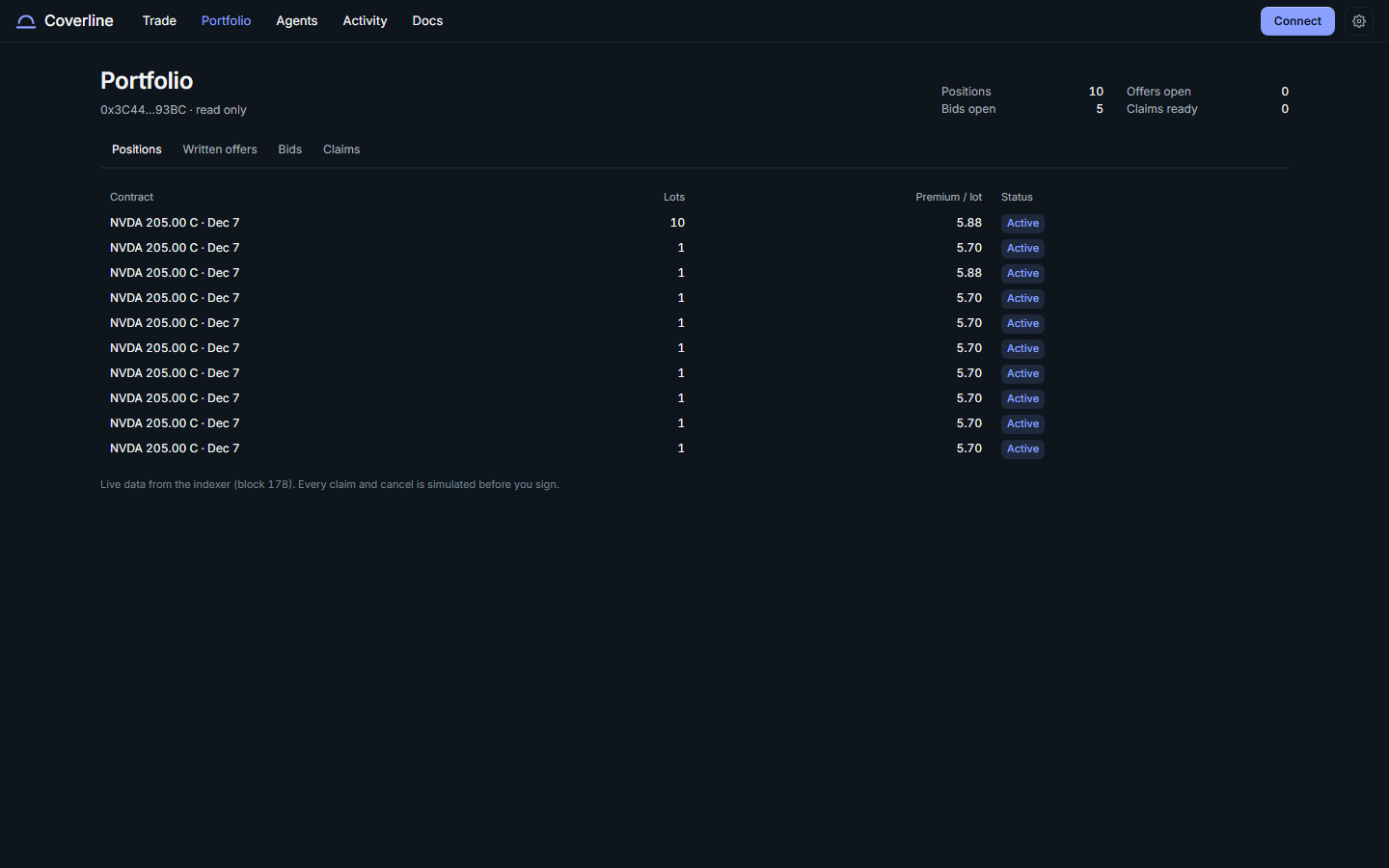
Portfolio: your position and its status. Wait for expiry, settle and claim
Test series expire in about an hour. After expiry the position settles; Portfolio shows it as Settled, or as Claimed once the keeper has claimed for you.
- Click
- Come back after the expiry time. When Portfolio shows Settled or Claimed, open the Claims tab. The keeper usually claims for you, so the tab may be empty and the payout already in your wallet; if a Claim button is there, press it and sign.
- You see
- The status moves from Active to Settled, and to Claimed once the payout is claimed (usually within minutes, by the keeper). Either the Claims tab shows what you receive with a Claim button, or it is empty because the keeper has already claimed and the payout is in your wallet.
- You pay or receive
- You receive the payout of an option that ended in the money (a call pays in the token, a put in mUSDG), after the exercise fee, when you claim. You pay test ETH for gas only if you claim yourself.
- Worst case
- An option that ended out of the money has nothing to claim: you lose the premium, no more. If the price is too old to settle, the row says "Waiting for a fresh price" and settling opens when a fresh one is posted.
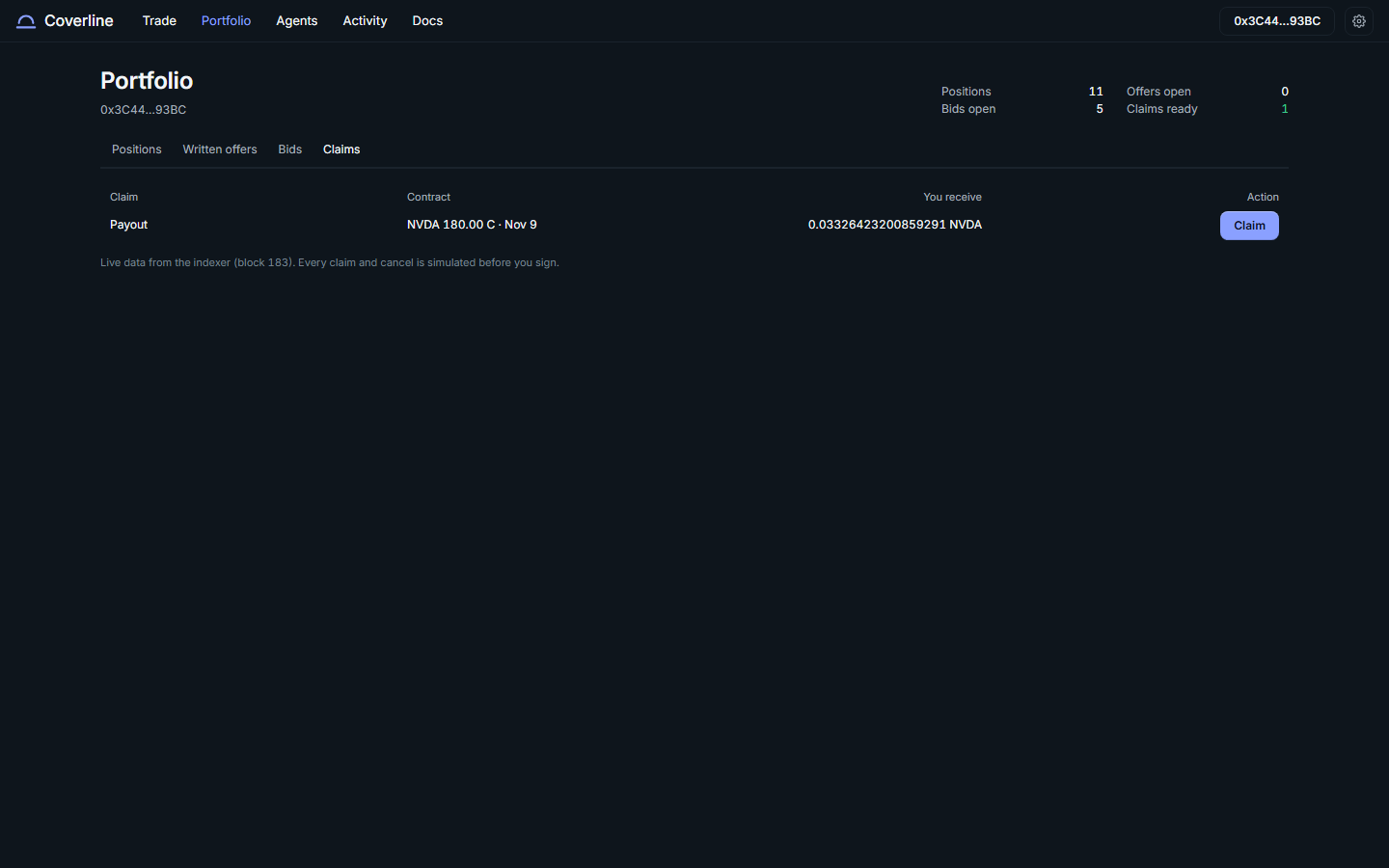
The Claims tab: what you receive, and Claim.


If something looks wrong
No test ETH
The wallet cannot pay for gas and a transaction does not go out. Get test ETH from the faucet link in the banner, then try again.
The wrong network
The app says your wallet is on another network and signing stays off. Press Connect and choose "Add Robinhood Chain Testnet" to switch.
Waiting for a fresh price
The option has expired but the test price is out of date, so settling would fail. Nothing is lost: settling opens when a fresh price is posted.
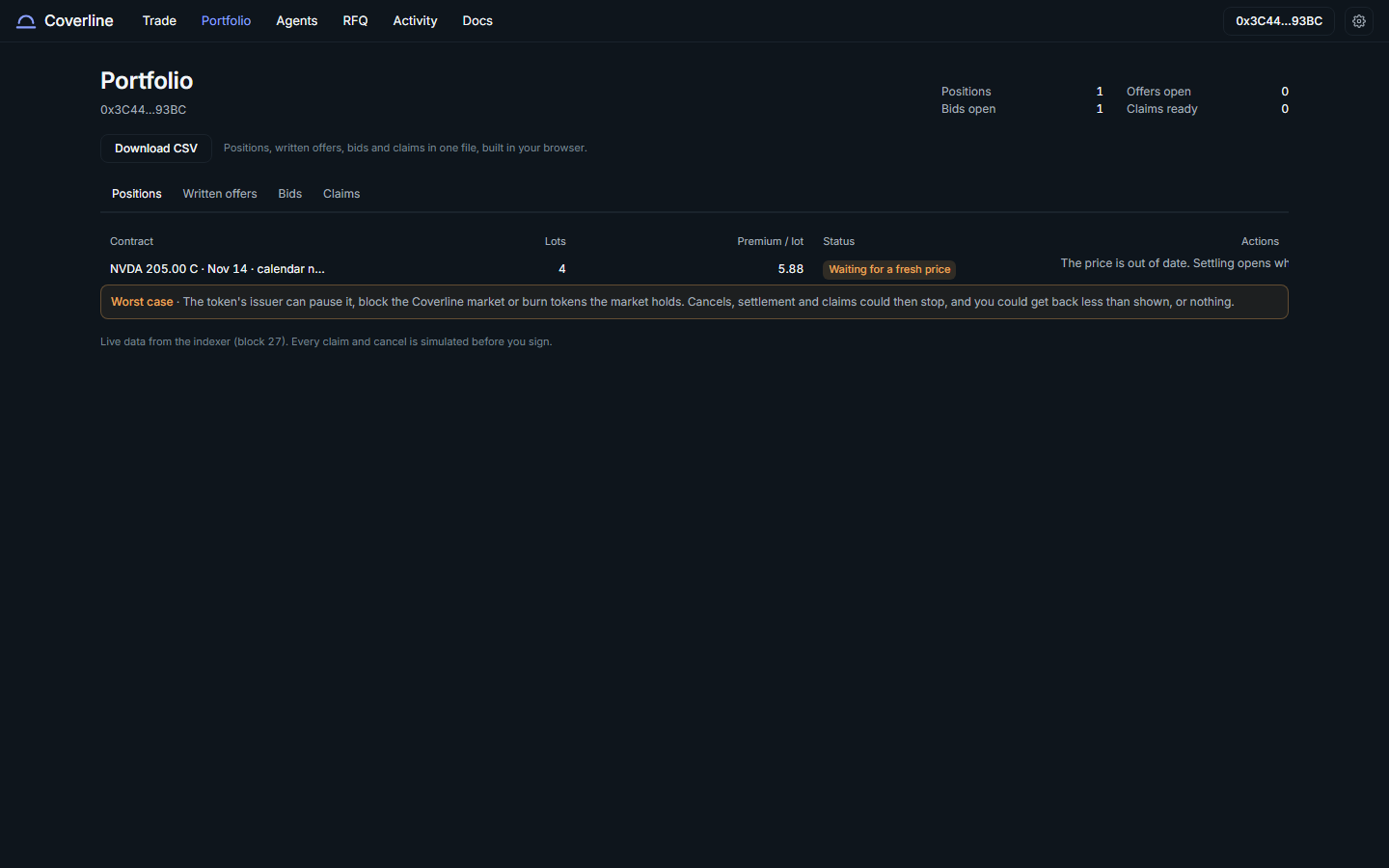
No Settle button until a fresh price is posted. A list cut at 500
A table that says "Showing the first 500" is not the whole list. Narrow the view, or open Activity for the full history.
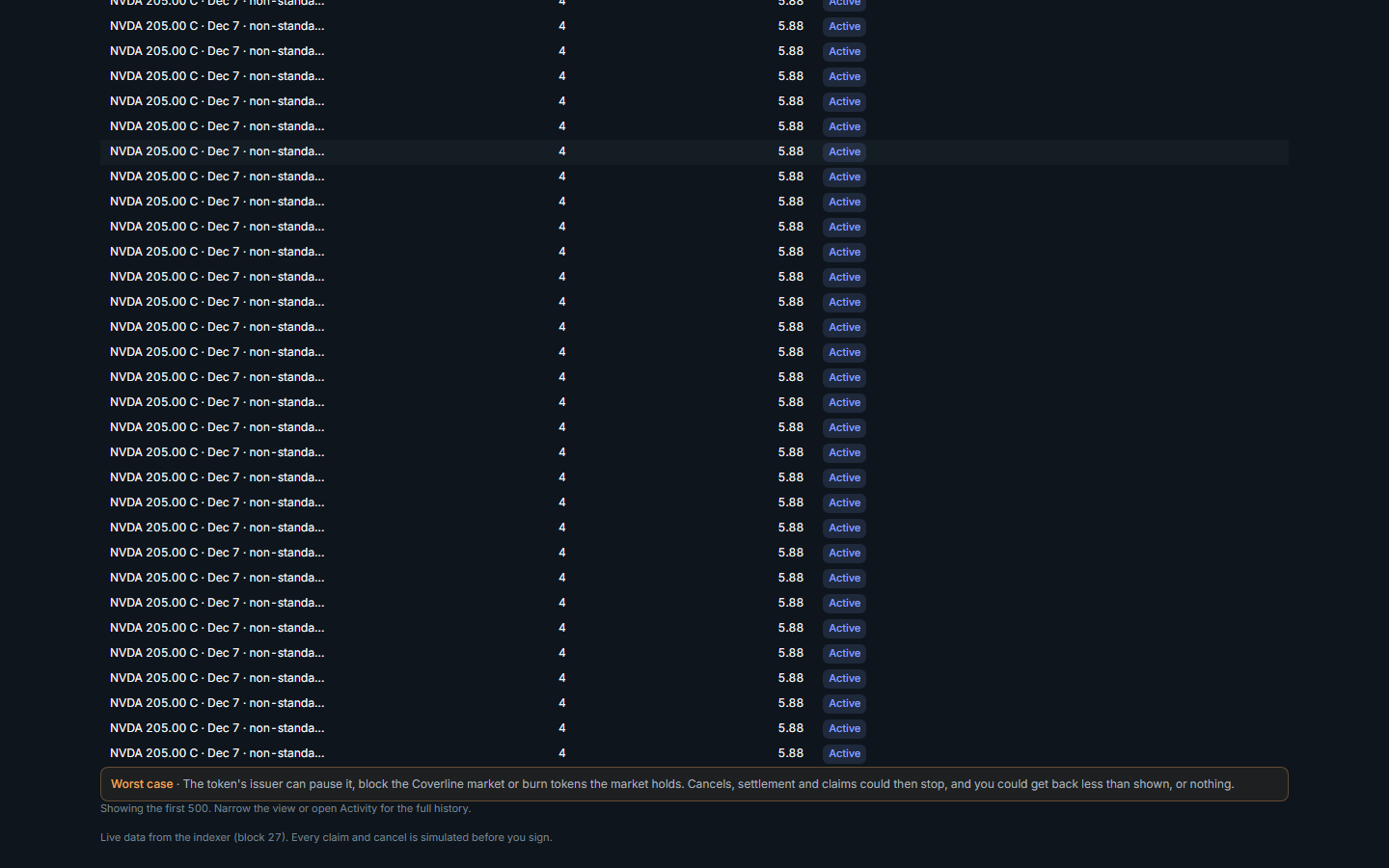
The note says the list is cut. The connection banner
A banner names which connection is down (the blockchain, the market data service or your wallet), since when, and what still works. Signing is paused while it shows. It clears by itself when the connection returns.
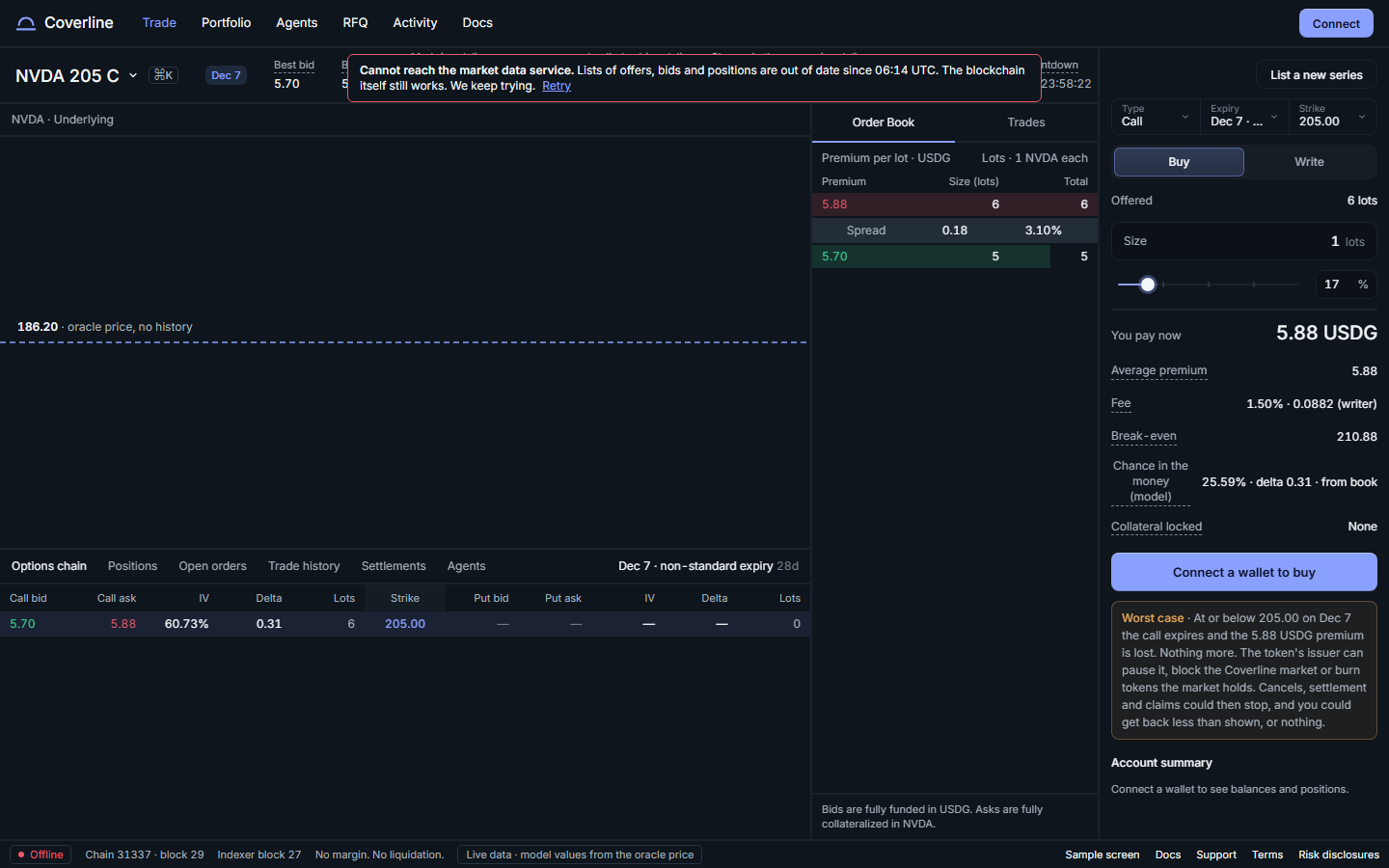
The banner says what is down and since when.


Read Safety for what can delay settlement and Fees for every fee.
Availability. Not available in the US or to US persons, Canada, the United Kingdom or Switzerland, and not to investors in Cuba, Belarus, Iran, North Korea, Russia, Syria, Ukraine, South Sudan, Sudan, Myanmar or Venezuela. Further restrictions may apply.